How to Turn a Photo into a Cartoon: Pick the Photo, Read the Result
 Zorvel Team
Prepare a portrait, run it through Zorvel's Cartoon Filter and judge the result, with one real before-and-after pair and the current cost per image.
A cartoon filter changes the look of one picture; it does not animate it. This guide shows how to choose a photo, run it through Zorvel's Cartoon Filter and judge what comes back, using the one real example published on that page.
That example is a single run, so it shows what happened to one portrait. The advice on choosing your own photo comes from the effect's photo requirements and its known limits, not from a test of many photos. The same steps work if you want to turn a picture you already have into a cartoon, as long as it shows one person clearly.
What you need
- One photo saved as a JPEG or PNG of up to 10 MB.
- A photo you took or have permission to process.
- A Zorvel account. Browsing is open to everyone; generating needs you to sign in.
- 20 credits for one cartoon image. The effect page shows this cost again before you start.
The result is one still image. If you want the picture to move, the other Zorvel effects make short videos instead.
The real example
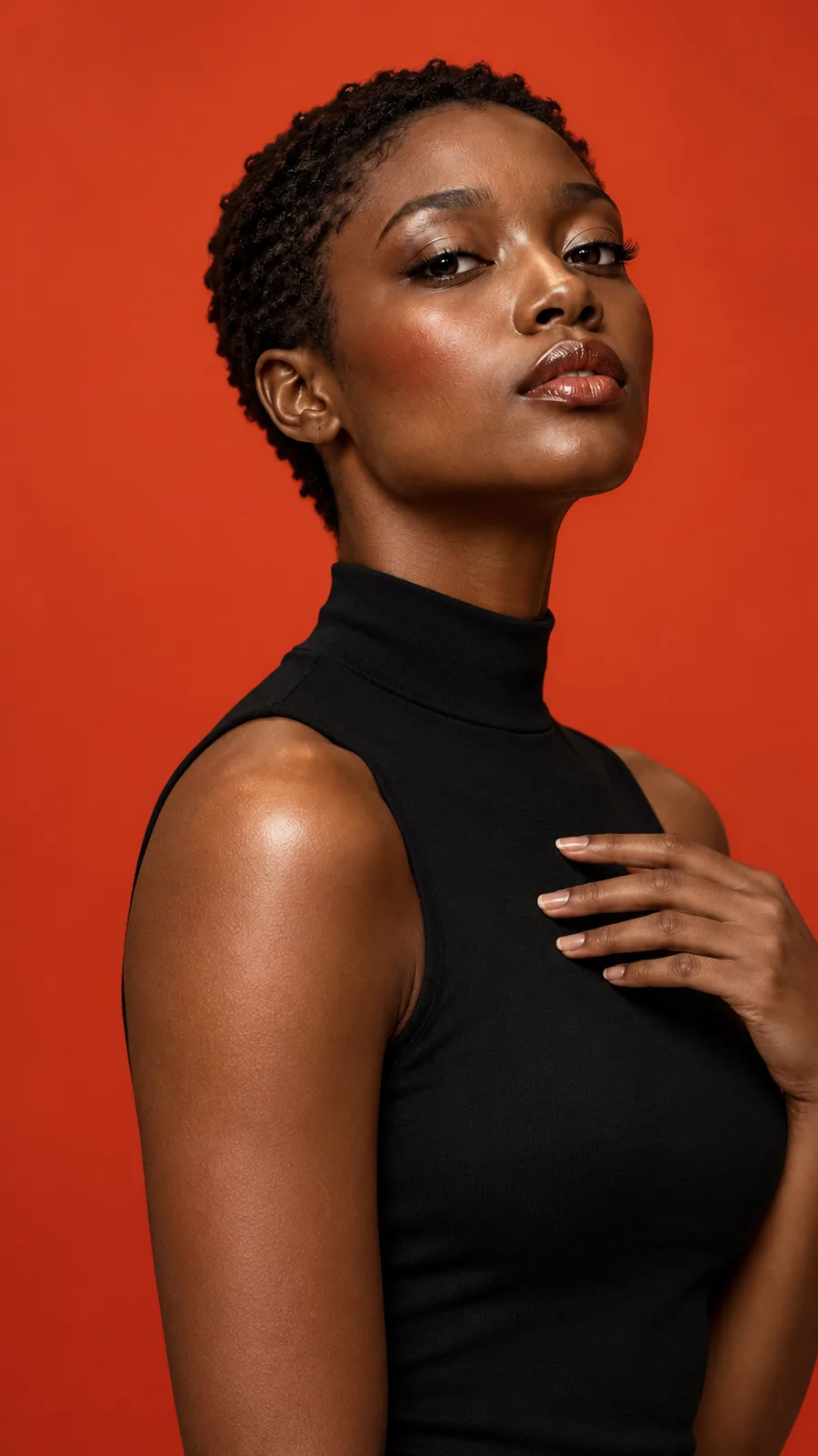
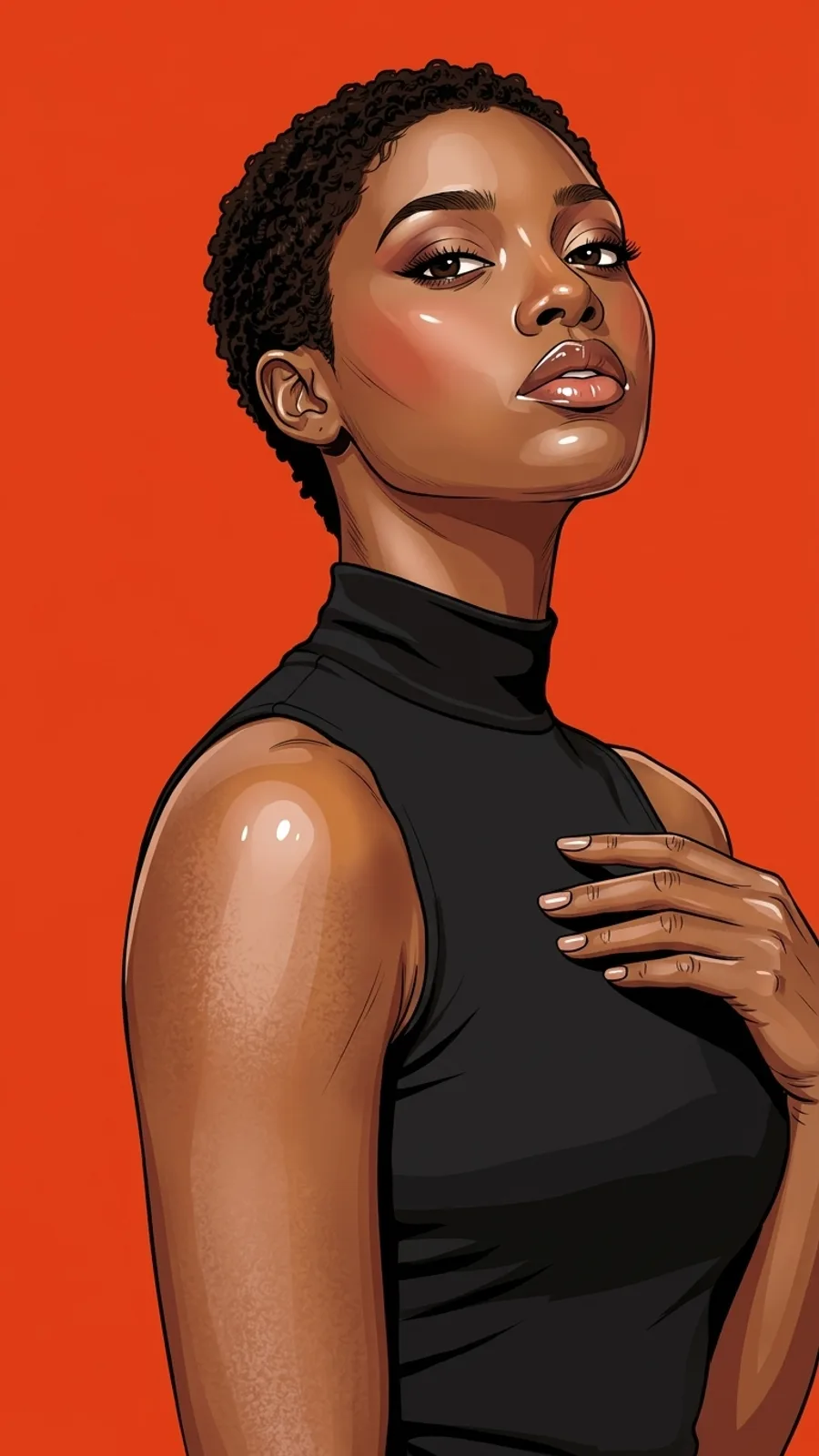
Left: the input portrait. Right: the image Cartoon Filter returned from it. The output is a real model result (nano-banana-2), generated on 13 November 2026 and resized for the web, with no other edits.
What stayed. The pose, the short curly hair, the black high-neck top, the hand resting on the chest and the plain orange-red background all carry over, so the cartoon is still clearly the same picture.
What changed. Outlines became bold and dark, skin became flat areas of colour with stylised highlights, and the eyes and lips are drawn more strongly. The figure also sits slightly larger in the frame, so the hand reaches closer to the right edge. Small details are redrawn rather than traced.
Step by step
- Open the Cartoon Filter page and find the upload area.
- Choose your photo and check the framing: one person, face and shoulders fully visible, nothing covering the face.
- Sign in if you have not already, check the credit cost shown on the page, and start the run.
- Review the finished image before you download or share it. You can also check the status of a run in My creations.
Choosing your own photo
These checks follow from what the effect asks for, not from a measured comparison:
- One clear subject. The effect is built for a single portrait. A group photo gives the model several faces to reinterpret, so do not expect every person to stay unchanged.
- Face and shoulders in frame. Keep the forehead and chin inside the picture. A tight crop leaves less for the filter to work with.
- A simple background. A plain background, like the one in the example, keeps attention on the person.
- No text you need to keep. Lettering and logos can change, so check those areas in the result.
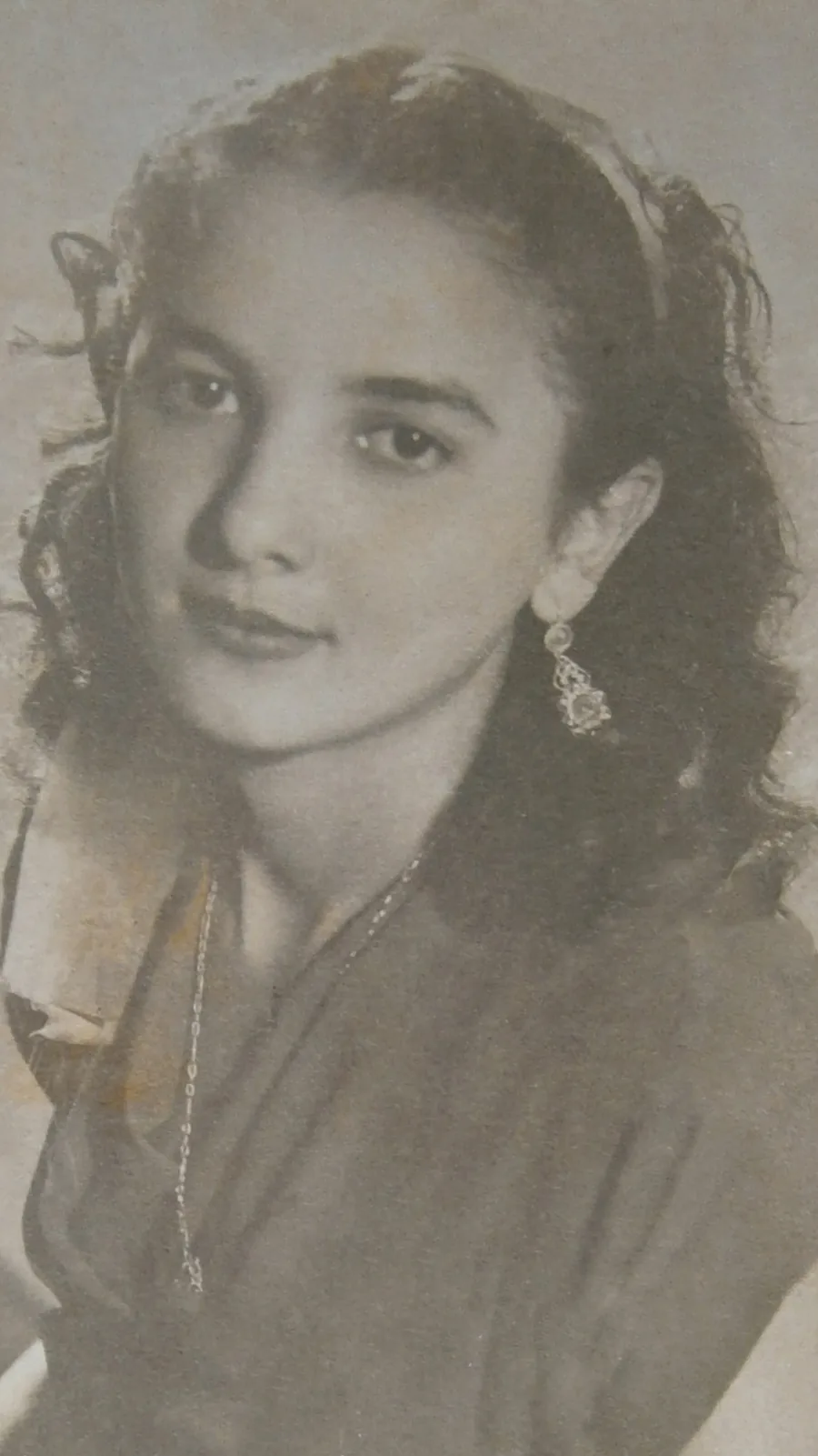
Photo preparation example: keep one face and shoulders visible. This historical photo was not used for the real cartoon result above.
What it costs
One cartoon image currently costs 20 credits, the lowest price of the Zorvel effects. In the smallest credit pack (1,000 credits) that is 50 images. Credits come from credit packs or a monthly or yearly plan; see Zorvel pricing and credit packs for the details. A generation confirmed as failed is refunded automatically.
Limits to keep in mind
- The output is a still image, not a video.
- Facial details, hair, accessories and lettering can change. This is a stylised interpretation, not an exact tracing or an identity check.
- Two runs of the same photo can differ.
Try it
Turn your photo into a cartoon with Zorvel's Cartoon Filter. Want movement instead? Compare the other Zorvel AI effects, or read how to animate a drawing with AI.
About the example: the input portrait was created for the Zorvel project with an AI image tool (OpenAI image generation); it is not a photo of a customer. The output was generated from it during Zorvel's own test run on 13 November 2026.