Transformation
Cartoon Filter
Cartoon Filter on Zorvel turns a photo into a cartoon-style image with AI. See a before/after example, a three-step how-to, and related Zorvel effects.
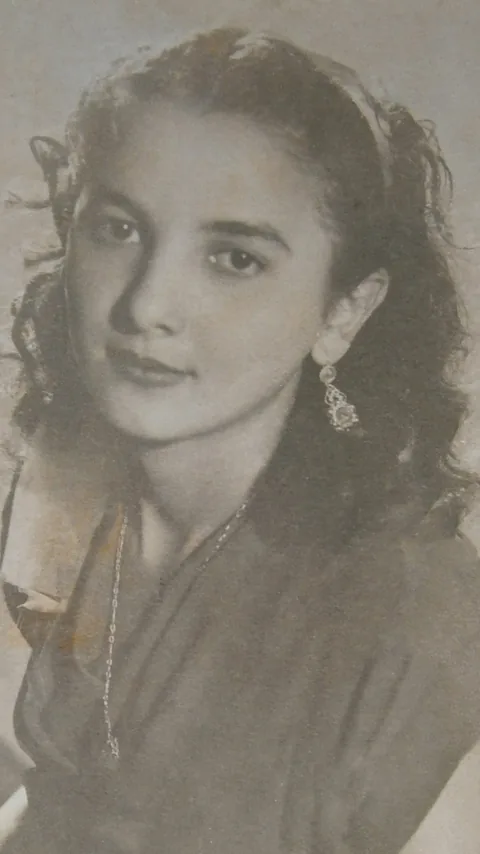
Try this Zorvel effect- Before
- Photo JPG/PNG · Up to 10 MB
- After
- 9:16 static concept illustration
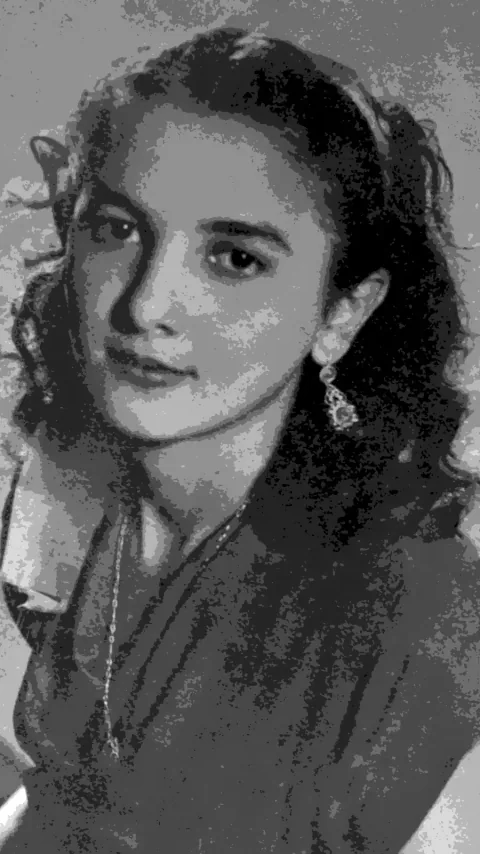
Local sharp derivative, not a model output. Generation is not open.
What your photo needs
Use one portrait with the face and shoulders clearly visible against a simple background.
- One person with face and shoulders visible
- JPG/PNG · Up to 10 MB
Generation is not open yet
This page displays a static concept pair only. It does not accept uploads or generate results.
Browse the Zorvel effects libraryBefore / after
Concept illustration of the Cartoon Filter direction. Original photo on the left.
How to apply the Cartoon Filter in three steps
Choose a photo
Pick one front-facing photo with the face and shoulders visible.
Check the framing
Keep the subject fully in frame against a simple background.
Preview the result
Compare the static concept illustration with the original photo shown here.
These steps describe a concept preview. No upload or generation is available here.
Example gallery
One original and one approved local derivative; the same pair is repeated for closer comparison.
Transformation

Transformation
Cartoon FilterPhoto · Concept
Open the Zorvel concept preview