LOCAL PHOTO TOOL · FREE
Inverted Hand Square Glitch Photo Effect
Frame it. Flip the colors.
Invert the colors inside a four-corner region. A manual still-photo version of the hand-frame look, not live hand tracking.
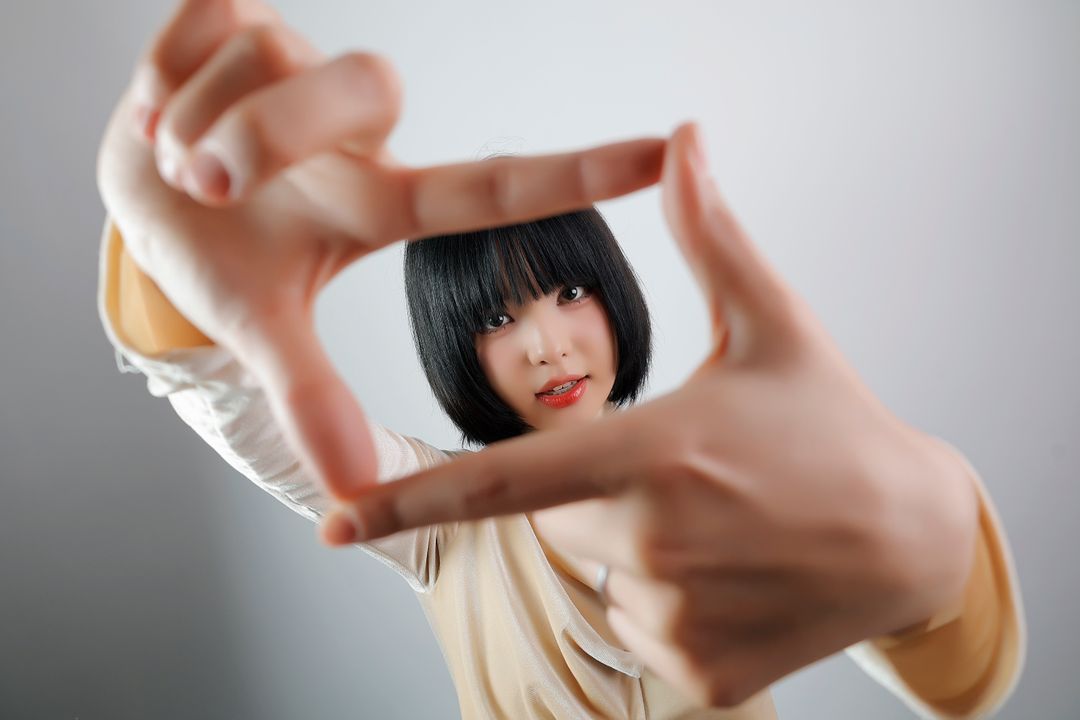
The selected area is inverted here from the same original photo. No AI-generated sample.
Example photo: xomidov Photo / Pexels. No model endorsement implied. Photo source · Photo license
Your chosen photo stays in this browser. No upload, no account, no credits.
Export up to 2400 px on the longest edge.
- 01
Choose a photo
Use the example or choose a photo you have permission to edit.
- 02
Set four corners
Click the four corners on the result, or enter their coordinates. No hands are detected automatically.
- 03
Download locally
Save the actual preview as PNG, without uploading your photo.
A hand-frame look, manually controlled
Only pixels inside the selected region have their red, green and blue values inverted. The rest of the photo stays unchanged. The example polygon is manually aligned with the hands in this one photo. Your uploads start with a central rectangle, which you can adjust. This tool edits still photos and does not track hands or reproduce a video template.
Keep the selected corners around the area you want to invert. A tilted quadrilateral works as well as a rectangle.
Frequently asked questions
Does this effect detect my hands?
No. The demo comes with a region set for its own photo. A different photo starts with a central selection. Use the four-corner controls to place the effect on a gesture, a sign or any other area you choose; the region can tilt instead of staying rectangular.
How do I get cleaner corners?
Choose the four corners around the outside of the area, not across the middle. If two points are nearly on top of each other, redraw with a little more space between them or use the coordinate fields for small changes.
What happens to the original colors?
In the selected region, light details can become dark and colors turn into their complements. The pixels outside the region are unchanged. Start with an image that has distinct light and dark areas so the effect is visible even in a small preview.
Can the effect follow a moving hand in a video?
No. This is a manual still-photo editor, not the live tracking version of the trend. Open a JPG or PNG, adjust the region and save a PNG. Edit and save each still separately.